
If you have your Ashampoo program license for any of the Ashampoo software that you purchased either on official site or on any third-party store like G2A, here is short guide on how to activate it:
1. Download the Ashampoo App from official site. It is free.
2. Install, launch the app, create account and log-in.
3. Enter the license key by selecting “Activate product” option.
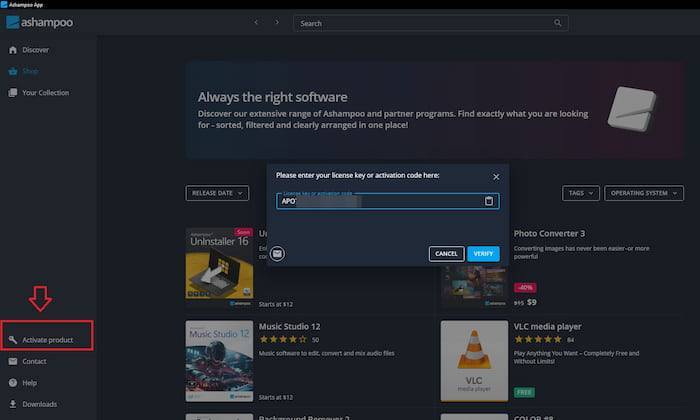
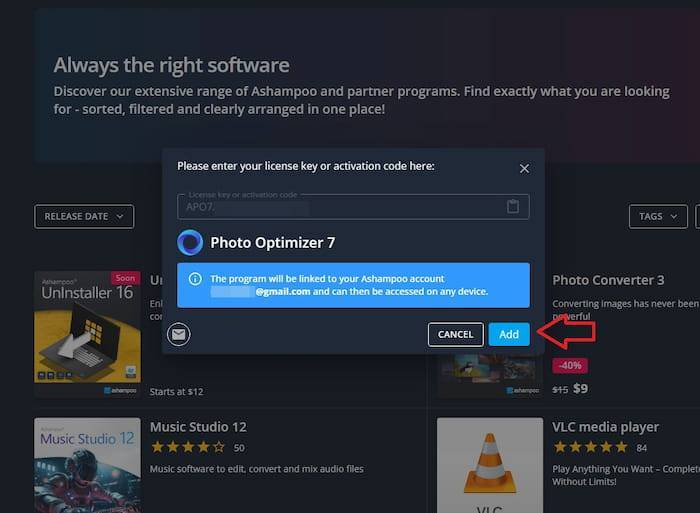
4. Click “Verify” button and then click on “Add” to link the program to your Ashampoo account and to access it from all of your devices.
5. You can now install the program to your computer by clicking “Install.”
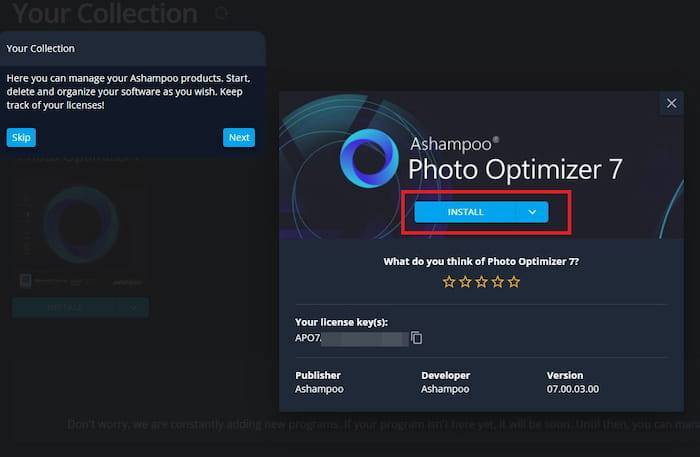
6. During installation, you can change the destination folder or keep the default setting. To launch and use your new program, simply click “Start.”